The Message That Can Wait: Rethinking Dispatch Communication for Safer Fleets
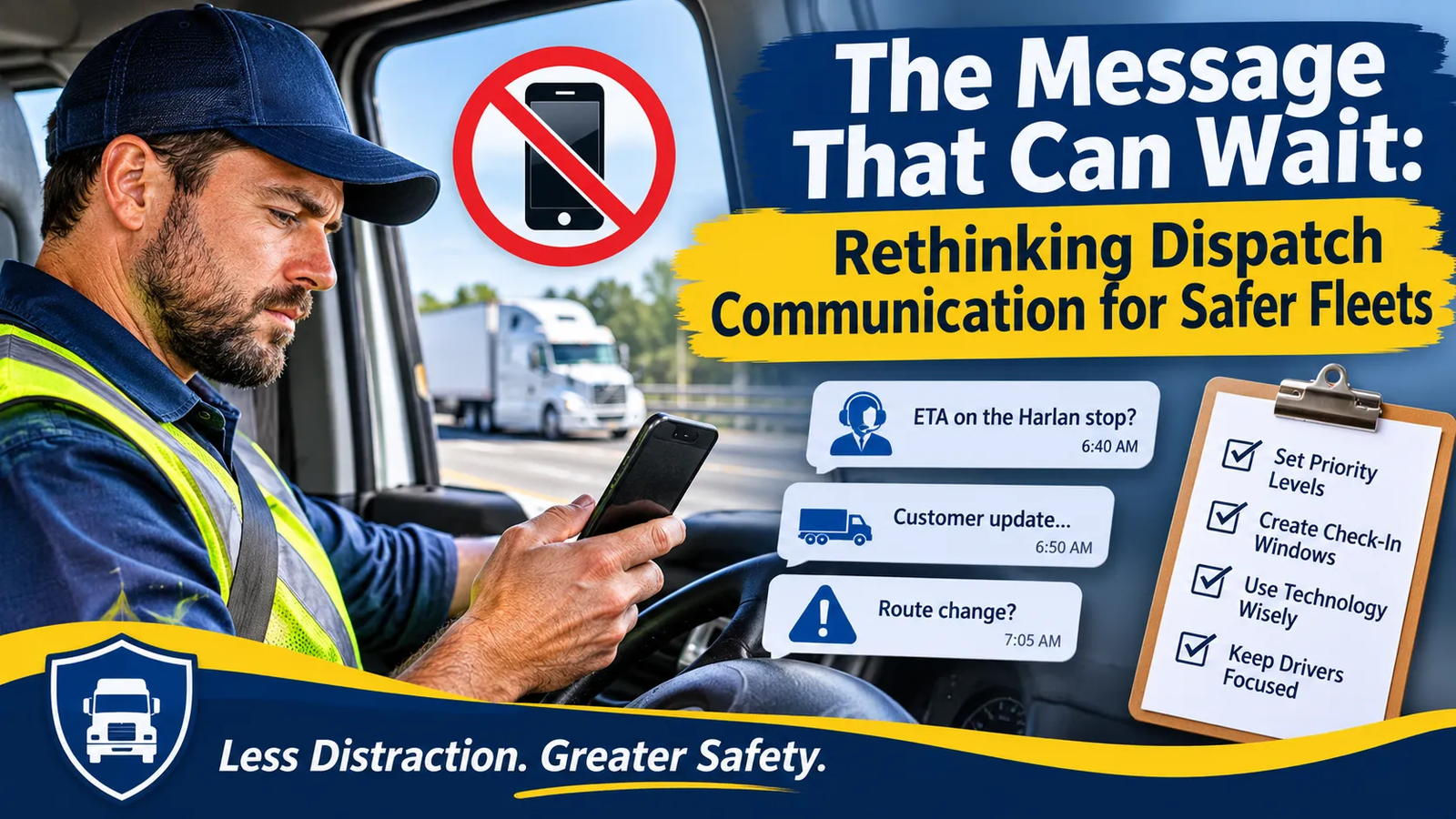
A dispatcher sends a quick note to a driver: “ETA on the Harlan stop?” Ten minutes later, a second message follows. Then a customer calls the office, and the dispatcher forwards it with a question mark. The driver is on a two-lane highway with a loaded trailer, and the phone keeps lighting up. Nobody has asked the driver to text back, and nobody has said it’s urgent. But everybody knows replies are noticed.
A carefully written commercial driver phone policy tells drivers to keep their eyes on the road. Yet the policy drivers actually live by is the one shaped by daily operations: how often dispatch reaches out, how fast replies are expected, and what happens when someone goes quiet. If those habits push drivers toward their phones, the written rule loses to the workday.
What the Rules Say, and What They Leave Open
Start by separating federal requirements from company practice. For drivers of commercial motor vehicles covered by the Federal Motor Carrier Safety Regulations, 49 CFR Part 392, Subpart H restricts texting and hand-held phone use while driving. The texting rule says that no motor carrier shall allow or require its drivers to engage in texting while driving. The hand-held phone rule similarly provides that no motor carrier shall allow or require its drivers to use a hand-held mobile telephone while driving a CMV.
Notice that these provisions address employers, not only drivers. They apply to drivers and carriers covered by FMCSA rules, and not every employer with company vehicles falls under them. Those employers are still governed by state law and their own policies.
Separately, OSHA has taken the position that employers share responsibility for how work is organized. In its 2010 distracted driving initiative, the agency said companies violate the Occupational Safety and Health Act if, by policy or practice, they require texting while driving, or create incentives that encourage or condone it, or structure work so that texting is a practical necessity. The U.S. Department of Labor’s announcement is worth reading in full. This is the key idea: a commercial driver phone policy that bans texting but sits inside a workflow that rewards instant replies is working against itself.
How Everyday Communication Creates Pressure
Dispatch communication usually grows by accretion. A status question here, a customer update there, a schedule change at the end of a shift. Each message is reasonable. Together, they teach drivers that the phone is part of the job while moving.
Pressure rarely comes from one explicit demand. It comes from signals:
- Repeated “checking in” messages after a short silence.
- ETA requests sent at stops and between them.
- Customer calls routed to the driver instead of the office.
- Informal comparisons of who answers fastest.
- Delivery windows so tight that any delay triggers a flurry of messages.
A driver who sees this pattern will reasonably conclude that a slow reply is a performance problem. That is exactly the incentive structure OSHA warned about, and no policy memo can outweigh it.
Sort Messages by Urgency
Not every message deserves the same channel or the same speed. Build a simple tier system and teach it to everyone.
- Emergencies and safety-critical changes: a road closure, a hazardous-materials issue, a breakdown or crash. These justify immediate contact, using a pre-agreed method such as a voice call through a hands-free setup, with the dispatcher asking whether the driver is in a safe position to talk.
- Time-sensitive operational updates: a pickup location change or a cancelled stop. These can wait for the driver’s next safe stop unless there is a concrete reason they cannot.
- Routine information: status checks, paperwork reminders, general updates. These should be scheduled or automated, not sent ad hoc.
The tiers shift the default. Instead of “send now and hope they see it when convenient,” the default becomes “this goes in the next check-in window unless it truly cannot wait.”
Design Check-In Windows and Safe Places
Drivers need predictable moments to catch up. Build them into the route. Many fleets already have natural ones: after loading, at a fuel stop, during a mandated rest break, or on arrival at a customer site.
Publish those windows and make them part of the routine. Tell dispatchers that messages sent between windows will be answered at the next one. Tell drivers that checking updates means parking safely first, not glancing at the phone at a red light. OSHA’s then-head David Michaels urged employers to set up clear procedures, times, and places for drivers’ safe use of texting and other technologies for communicating with managers. That advice works as well today as it did then.
A short example: a regional beverage distributor tells its drivers to review dispatch updates after each delivery and before leaving the lot. Dispatchers batch routine messages and send them at those times. Drivers stop being surprised by buzzes mid-route, and dispatchers stop wondering whether silence means trouble.
Let Software Take Over the Routine Work
Many calls and messages exist only because information is hard to get. Where possible, move that information out of the driver’s hands.
Some dispatch and routing platforms can send customers arrival notices or updated windows automatically, and some can show dispatchers a vehicle’s progress without asking. Capabilities vary, so verify what your own tools do before building a process around them. The goal is to answer “where is the truck?” without anyone having to ask the driver. If a customer can see an updated arrival estimate, they are less likely to call the driver’s phone, and a dispatcher who can see progress has less reason to send a message.
Look also at how customer calls are routed. A policy that says “customers contact the office” and a system that gives customers the driver’s number are contradictory. Fix the system.
Train Dispatchers and Supervisors, Not Just Drivers
Most training targets drivers. The people sending messages need it just as much.
Dispatchers and supervisors should learn to:
- Assume a driver is driving unless told otherwise.
- Avoid follow-up messages when a reply is slow.
- Ask “are you safely stopped?” before starting a conversation.
- Never penalize or joke about delayed replies caused by driving.
- Recognize that their messaging pattern is part of the commercial driver phone policy, whether or not it appears in the handbook.
Role-play helps. Practice a few scenarios, such as a late delivery, an irate customer, and a schedule change, and agree on what the dispatcher says and does. Supervisors should reinforce the message by example: don’t send messages that demand quick answers, and don’t respond to drivers who reply while moving by thanking them.
Plan Emergency Communication in Advance
Emergencies are the exception that tests the system. Define in writing who can contact a driver urgently, by what method, and what the driver should do. Drivers should know that in a real emergency, pulling over safely comes first.
Federal rules recognize emergency situations too. The hand-held phone provision states that using a hand-held mobile telephone is permissible when necessary to communicate with law enforcement officials or other emergency services. That is a narrow exception for contacting emergency services, not a general allowance for work communication. Keep your emergency procedure consistent with it and ask counsel if your operation raises questions.
Set Schedules That Don’t Demand Shortcuts
Communication problems are often schedule problems in disguise. When delivery windows leave no margin for traffic, weather, or loading delays, dispatchers get anxious and drivers feel it. The messages arrive at exactly the wrong time.
Build realistic buffers into routes, and review whether the plan assumes perfect conditions. If a route consistently runs late, fix the route, not the driver. A driver who isn’t racing the clock is less likely to feel they must answer a message right now, and a dispatcher with a realistic plan has less reason to chase updates.
Where Technology Fits
Technology can support a wider communication strategy without pretending to solve it. Connected driving safety technology can add useful context in a few specific ways. Vehicle location can reduce “where are you?” messages, since a dispatcher can check progress without contacting the driver. Relevant notifications can route attention to events that need follow-up. Some systems also offer pre-start alcohol detection and ignition protection, which address impaired driving, a different risk.
Be precise about what any product can and cannot do. Location visibility, notifications, alcohol detection, and ignition protection are not phone-use or texting detection, and they should not be described that way unless a provider can demonstrate and document that specific capability. Ask each vendor what its system detects, what it does not, and what data it collects. Technology does not replace the work of redesigning how your people communicate.
Learn From Incidents and Near Misses
After a crash or near miss, ask a question many investigations skip: was a message, call, or schedule demand involved? Review dispatch records alongside the incident, respecting your privacy rules and applicable law, and look for patterns such as repeated pings before an event or a route with chronic delays.
Treat findings as feedback on the system, not as a hunt for someone to blame. If a pattern points to a dispatcher habit or an unrealistic schedule, change it, and revisit your commercial driver phone policy to make sure it matches how work actually happens. Share what you learn with drivers so they see that raising concerns leads to changes.
The Takeaway
A commercial driver phone policy only works when daily operations support it. Sort messages by urgency, build check-in windows, automate routine updates, train dispatchers, plan emergencies, and set schedules that don’t push drivers toward their phones. Treat technology as one supporting layer. One example is My Drive Guardian, whose features include vehicle location, notifications, pre-start alcohol detection, and ignition protection. These support vehicle visibility and impairment prevention, not phone detection, so they fit best as part of a broader strategy in which the way a fleet communicates is designed to be safe.











Post Comment