Diode Laser Cutter Buying Guide: Choose the Right Machine for Your Projects
Understanding Diode Laser Cutter Technology
Diode laser cutters rely on semiconductor junctions to emit a focused beam, making them compact and energy efficient compared to bulkier CO2 units.
Their wavelengths typically sit around 445–465 nm, ideal for engraving darker materials and cutting thin non-metals.
However, they struggle with thicker acrylic or metals unless multiple passes are planned.
Diodes usually run at lower power—10W to 40W, which keeps the heat-affected zone small, allowing the machine to stay manageable for a bench or desktop.
This also means they’re quieter and consume less power, making them suitable for hobby shops, small craft businesses, or prototyping studios.
The trade-offs include less penetration depth and slower cutting compared to higher-power CO2 or fiber systems.
They excel at projects like engraving wooden keepsakes, trimming leather patches, or cutting thin acrylic charms without needing industrial ventilation.
What Materials Can a Diode Laser Cutter Handle?
Diode lasers excel on:
- Wood, bamboo, paperboard, leather, fabric, and thin acrylic (3–6 mm, depending on power).
- For acrylic, multiple slow passes are required, but depth is limited.
- Thin metals like anodized aluminum or coated steel can be engraved well, but cutting metals typically requires fiber lasers.
Power level dictates your material thickness limit.
- A 20W system may cut 3 mm birch with two passes but will only engrave 1 mm anodized aluminum without cutting through.
Air assist and solid fixturing keep cuts clean by clearing smoke and preventing warping.
Start every new project with scrap tests, ramping power and speed until the beam just penetrates or leaves crisp marks—this saves expensive material and reveals the optimal speed for smooth edges.
Key Features to Compare Before Buying
- Work area: A wider area lets you step up to batch production or longer pieces.
- Resolution and motion smoothness affect text clarity and edge quality.
- Gantry should use linear rails, reinforced belts, or rack-and-pinion drives for rigidity and long-term accuracy.
- Control electronics should support popular firmware like LightBurn or LaserGRBL for seamless workflows.
- Power mode: Know whether the diode array uses continuous current (stabilizes the beam) or pulsed modes (reduces heat buildup on thinner materials).
- Cooling system: Fan or water cooling helps avoid overheating during long engraving runs.
- Duty cycle ratings matter for long jobs to prevent the diode from overheating.
- Build quality: Welded steel frames resist vibrations, and modular systems allow upgrades like exhaust fans or rotary attachments.
Performance Tuning and Material Settings
- Start tuning by mapping a simple grid of speed vs. power on scrap stock.
- Find the corner that just cuts through for cutting work, and one that leaves dark, consistent marks for engraving.
- Find the corner that just cuts through for cutting work, and one that leaves dark, consistent marks for engraving.
- Record those numbers to avoid guessing every time.
- Focal distance: Moving closer tightens the beam for detailed engraving, while backing off helps with cutting thicker materials.
- Different lenses affect the spot size:
- A 2.5″ lens is better for engraving, while a 1.5″ lens offers a finer beam for cutting.
- A 2.5″ lens is better for engraving, while a 1.5″ lens offers a finer beam for cutting.
- Keep a test card near the machine with settings for oak, acrylic, or leather for quick reference.
- Ventilation: Actively manage smoke with a dedicated exhaust and mask when engraving adhesives or plastics.
- Always stay nearby during cuts to catch flare-ups early.
Maintenance, Safety, and Workspace Prep
- Routine care: Clean lenses and mirrors with lint-free swabs and isopropyl alcohol.
- Weekly checks: Inspect and tighten belts, lubricate rails, and keep optics clean.
- Replace air filters or carbon pads before they get saturated.
- PPE: Wear safety goggles blocking the blue laser wavelength, and a mask for adhesives or plastics.
- Install redundant safety switches and an emergency stop within reach, paired with a metal fire extinguisher rated for electrical fires.
- Set the cutter on a stable table with clearance for ventilation hoses and power cords.
- Before each big job, run a quick calibration: check homing switches, focus height, and ensure the workpiece is flat.
Comparing Diode Laser Cutter Models and Pricing
- Hobbyist-level diode machines: $400–$800, offering built-in air assist and small 200×200 mm beds—great for engraving leather tags or cutting thin paper.
- Semi-pro systems ($1,000–$1,800): Sturdier frames, larger beds, and better control boards—ideal for batch engraving wooden coasters.
- Prosumer models ($3,000+): 60–85W power, enclosures, air assist, and upgraded software suites, suitable for small-batch production.
Consider your project needs to justify higher costs.
- Do you need a 400×400 mm bed for batch engraving?
- Are you using third-party software like LightBurn (which cheaper systems may struggle to support)?
- Read reviews for reliability, firmware updates, and manufacturer support.
- Look for a robust warranty, easy-to-source spare parts, and active user communities.
- Prioritize systems with well-documented build sheets and replacement parts to avoid long downtime.
Choosing the Best Creality Falcon Diode Laser for Your Needs
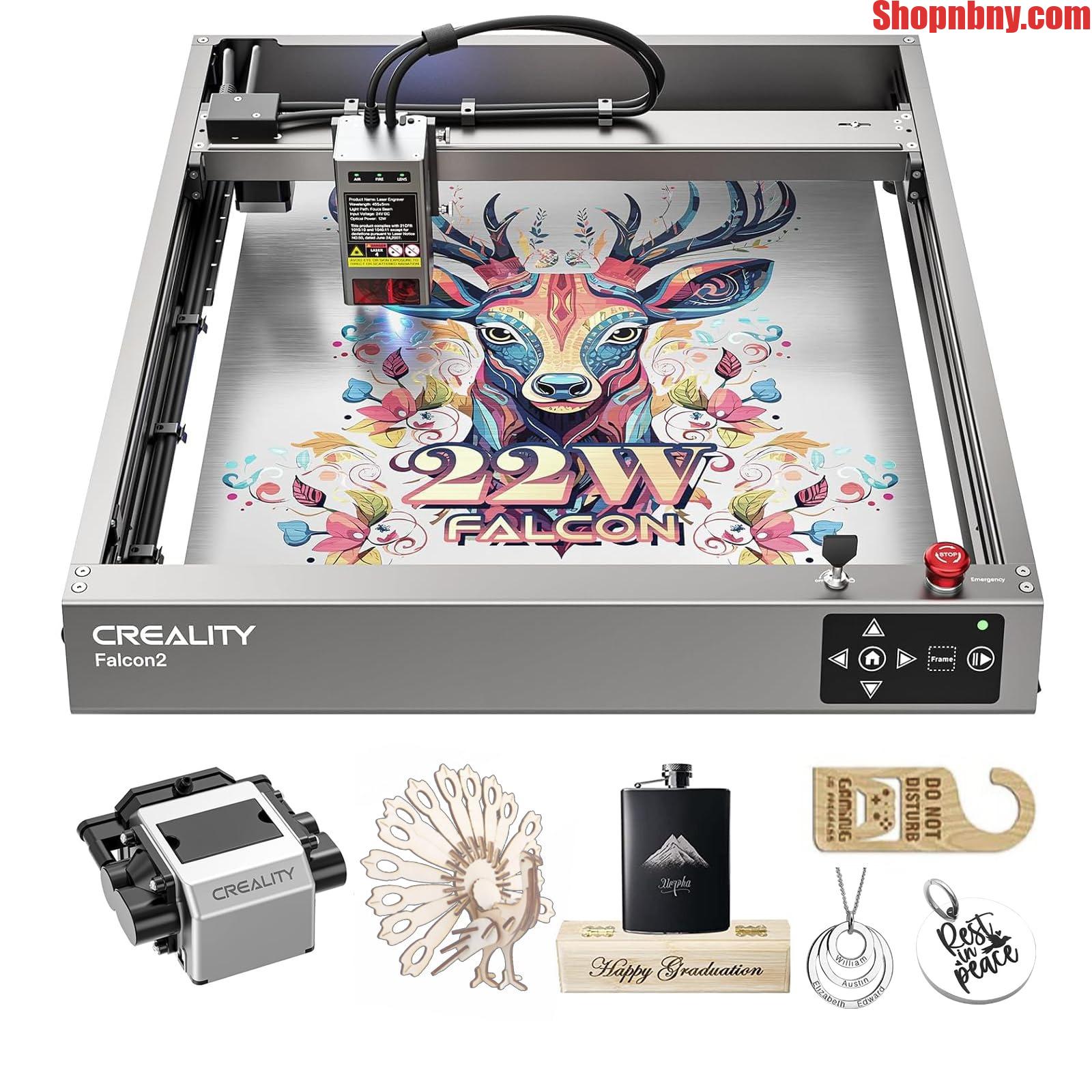
The Creality Falcon line offers user-friendliness and features perfect for small businesses.
- Falcon models typically offer solid work areas, modular construction, and LightBurn compatibility.
- Their design keeps the diode array accessible for maintenance.
- Additional features like air assist, exhaust ports, and safety shielding support cleaner cuts and safer operation.
For engraving leather tags and cutting acrylic in batches, the Falcon offers the right power and airflow.
Use the Falcon 1 Pro as a benchmark to map out your budget, workspace, and material goals, and confidently compare other systems.
Creality Falcon Best-Fit Pick
Product: Creality Falcon 1 Pro Diode Laser Cutter/Engraver
Best-fit reasons:
- Balanced 20W diode array for versatile cutting and engraving on wood, acrylic, leather, and anodized aluminum.
- 375 mm × 375 mm work area suits both hobby projects and small batches without taking up too much space.
- Compatible with LightBurn, enabling smooth design-to-cut workflows.
- Built-in air assist, exhaust port, and safety shielding for cleaner cuts and safer operation.
Final Checklist Before Pressing the “Buy” Button
- Match laser power to materials you plan to cut and engrave.
- Ensure the bed size fits your largest projects without overpaying for unused capacity.
- Confirm software support and any additional accessories you might need.
- Prepare for ventilation, safety gear, and maintenance routines before your machine arrives.
- Check warranties, customer support, and return policies for peace of mind.
Once you’ve aligned specs with real project goals, try a software demo or watch walkthroughs to understand the workflow, and then pull the trigger with confidence.










Post Comment