LLM Router, Explained: The Five Jobs It Does So You Don’t Have To
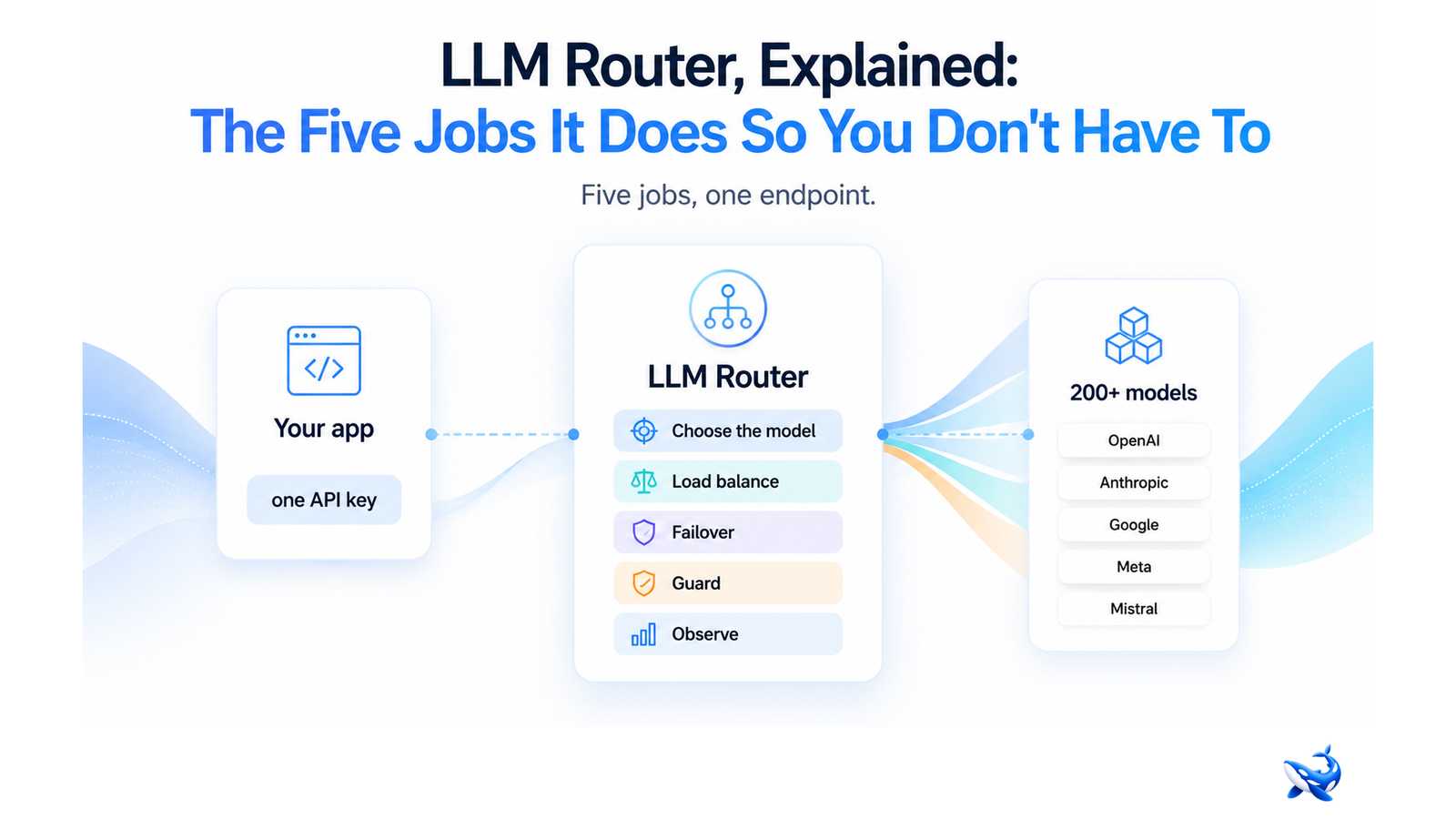
An llm router sits between your application and the models that power it — it reads every request, decides which model should answer, and hands the response back. The models it picks between, like Claude Sonnet 5, span from budget tiers to frontier flagships; this piece is the plain-English version of the five jobs it does so you don’t have to do them by hand.
If you have ever shipped an app that calls an LLM, you have already been the router. Somewhere in your code is an if-statement: this kind of prompt goes to the big model, that kind goes to the cheap one, and if the first fails, retry with the other. Add the retries, the request logging, the budget spreadsheet you reconcile by hand, and you have built a router — an incomplete one, and the piece of your stack that quietly eats your time every time a provider changes pricing, deprecates a model, or lets a key expire.
What an LLM router is, in plain English
The easiest mental model is a dispatcher, not a database. A database stores answers; a router decides who answers. Every request that enters your application crosses the router first: it reads the prompt, consults your rules, and hands the work to one specific model — then waits and passes the reply back. Your application talks to a single endpoint and never needs to know which provider actually did the work.
That single endpoint is the whole trick. Because the router is the only component that knows about providers, you can add a provider, change a model, or re-route traffic without touching application code. The router absorbs the churn; your team stops being the thing that absorbs it.
The five jobs, one by one
A router is a bundle of five jobs, and most products in the category cover several at once. Here is the whole bundle in one table.
| Job | What it does | What you stop doing by hand |
| Choosing the model | Picks which model answers each request | Wiring prompts to models in code |
| Load balancing | Spreads traffic across instances and providers | Managing provider endpoints and quotas |
| Failover | Re-routes when a provider errors or times out | Writing retry loops and fallback logic |
| Guarding | Filters prompts and output before they travel | Rebuilding safety checks per integration |
| Observing | Logs every request, its latency, and its cost | Keeping budget spreadsheets |
Job 1: Choosing the model
Choosing the model is the job the category is named for. When a request arrives, the router decides which model answers it. The decision can be a fixed mapping this endpoint always uses the flagship or a dynamic one that reads the request’s length, task type, or budget and picks accordingly. The point is that the decision lives in the router, not in your application code. When the best model for a job changes because a new release ships or a price drops. You update the routing rules once and every new request follows the new logic. No redeploy, no coordinated change across every call site.
Job 2: Load balancing
Load balancing keeps traffic moving when more than one thing can serve the same model. Run a model on two providers or in two regions, and the router spreads requests between them so no single endpoint becomes the bottleneck. Failures and slow responses from one instance are absorbed by the others.
This is where the vocabulary usually gets tangled, so it’s worth stating plainly:
Routing decides which model answers. Load balancing decides which instance of that model answers. Routing is a choice about capability and cost; load balancing is a choice about throughput and reliability. A system that only spreads traffic is a load balancer, not a router — it treats every instance as interchangeable. A system that only picks a model and never spreads load is a selector. Production systems need both: route first to the right model, then balance to keep it responsive.
Job 3: Failover
Failover is what a router does when its first choice does not work out. Providers go down. Rate limits get hit. Keys expire. Models time out or return errors. Without a router, every one of those events is an incident: a code change, a retry loop, a pager at 2 a.m. With one, the router notices the failure and quietly re-routes the request to the next-best provider that can handle it, and the user never sees it. This is why automatic failover is a headline feature rather than a footnote [OrcaRouter] — a router that needs a human to flip it over to a healthy provider has missed the point.
Job 4: Guarding and filtering
Guarding is the security job. Every model your application can reach is a potential entry point, so a router that controls the door can inspect traffic before it reaches a model. That means filtering prompt injection attempts, blocking disallowed or sensitive content, and checking model output before it reaches your users. The win is that you implement the guardrail once, in front of every model you can reach, instead of rebuilding the same checks in every integration.
Job 5: Observing costs
Observing is the accounting job. Every request that crosses the router can be logged: which model answered, how long it took, how many tokens it used, what it cost. That turns “where did the budget go?” from a spreadsheet archaeology project into a query. You get a per-request audit trail, you can watch costs drift by model and by team, and you can cap spending with budgets and roles — things that are nearly impossible when requests hit a dozen providers directly and each one keeps its own billing page [OrcaRouter].
The grade-then-route pattern
The most useful pattern in the category combines the choosing job with cost control in a single loop: grade the prompt, then route. Every prompt is scored against your standard — how hard is this task, what quality bar does it need to clear — and then sent to the cheapest model that meets it. Easy questions go to a fast, inexpensive model; hard questions escalate to a frontier one. The grading step is where a router earns its keep, because it is the difference between a static mapping and routing that reacts to the actual request.
This is the pattern behind adaptive routing: each prompt is graded in under 1ms and then routed to the cheapest model that satisfies your criteria [OrcaRouter]. The economics only hold because the grading is fast and because nothing distorts the cost comparison — OrcaRouter passes provider list prices through at 0% markup, and a single API key reaches 200+ models across providers [OrcaRouter]. “Cheapest model that qualifies” is only a real number if the price you see is the price you pay.
The takeaway
An LLM router is for you if you call models from real code, pay for more than one of them, and have started to feel the maintenance: the if-statements, the retry loops, the budget spreadsheet. It’s not for you if you’re on one provider, one model, and one key — at that scale you need a working API call, not infrastructure. The moment you have two models, two keys, or a bill you can’t explain, the router stops being a nice-to-have and starts being the cheapest hire you’ll make. Move the model-choice logic into routing rules, keep your application pointing at one endpoint, and let the request log tell you what the billing page used to hide.
Sourcing note: Product facts — one API key for 200+ models, 0% markup pass-through of provider list prices, adaptive routing with prompts graded in under 1ms, automatic failover, and per-request logs with budgets — are OrcaRouter’s own published claims, checked on its homepage and product pages August 22, 2026. No third-party benchmark or pricing data is used in this article.














Post Comment