Vidnoz AI Review 2026: Can You Really Save 80% on Video Production Costs?
Traditional video production has been expensive, time-consuming, and dependent on large creative teams. In 2026, AI video generators are reshaping this landscape, allowing creators, marketers, and businesses to turn simple scripts into professional-quality videos in minutes. Vidnoz AI has emerged as one of the most talked-about platforms in this space, promising to cut video production costs by up to 80% without sacrificing quality. In this guide, we’ll provide a complete overview of Vidnoz AI, exploring its features, pricing, and how to use it effectively. By the end of this article, you’ll know whether Vidnoz AI is the right solution for your video creation needs in 2026.
Part 1: What is Vidnoz AI?
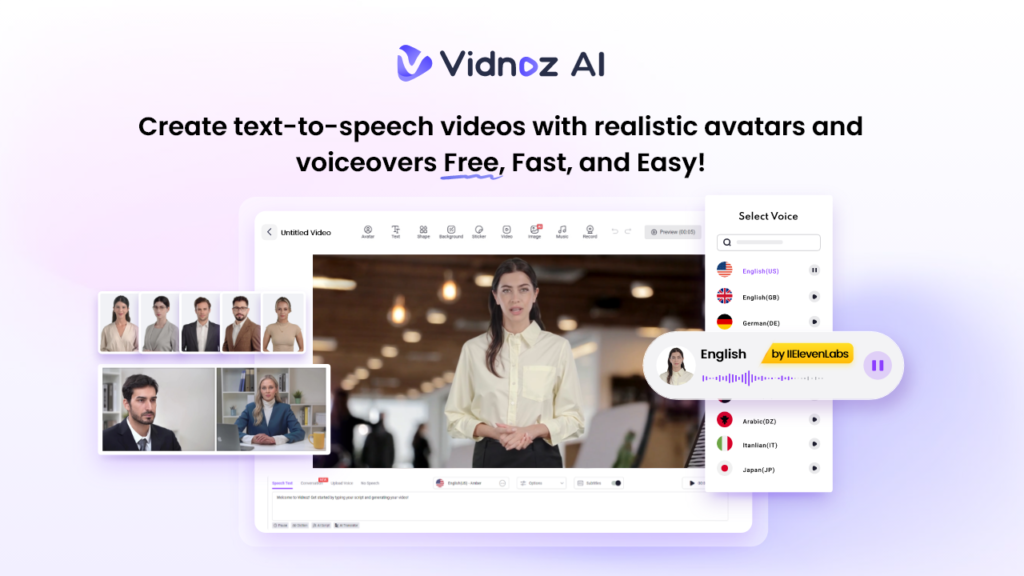
Vidnoz AI is a web-based video creation platform that enables users to create high-quality videos with a simple text prompt or any source material — no professional help or editing experience required. The standout feature of this tool is that it is certified with ISO/IEC 27001:2022 for Information Security Management. Offering over 1900 lifelike avatars, 2800 pre-designed video templates, and an extensive selection of 2000+ AI voices across multiple styles and languages. This makes Vidnoy AI suitable for marketing videos, training content, social media, eLearning, and corporate communications — all at a fraction of traditional production costs.
Part 2: Powerful Features of Vidnoz AI
Vidnoz AI offers amazing features and capabilities, making it one of the top AI video creation platforms available online. Here are the top features of this program:
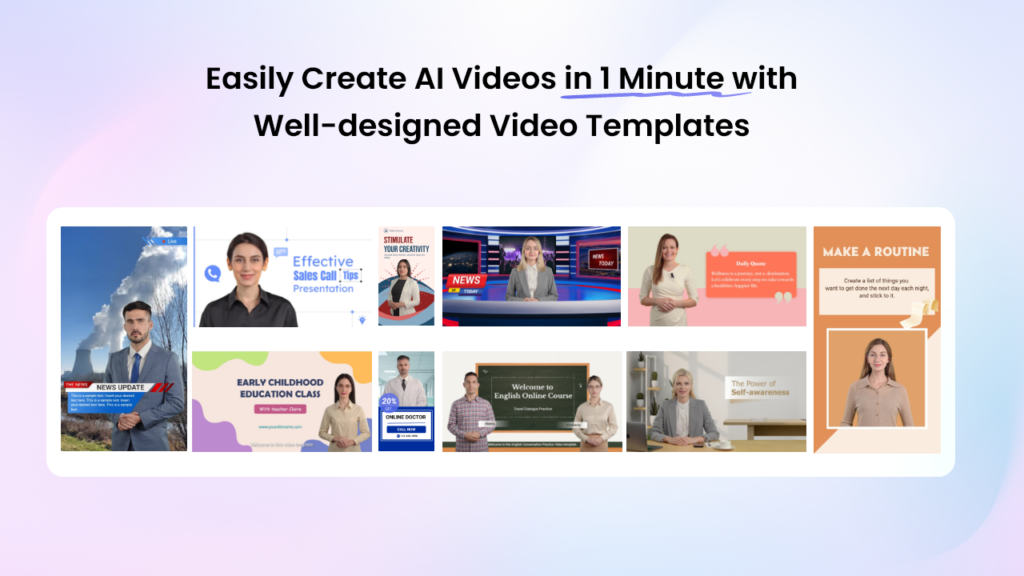
- Pre-Designed Video Templates: Vidnoz AI offers 2800+ video templates, allowing users to create various types of videos, including how-to guides, product demos, training, explainer videos, and more. A great variety of aspect ratio templates, including landscape and portrait, are also available to match the display requirements of different devices.
- Lifelike AI Avatars: The program includes 1900+ realistic avatars, each from different industries and roles such as doctors, customer supporters, chiefs, teachers, students, hosts, and more. Users can also generate a digital twin using Avatar Lite, and Avatar Pro offers deeper customization features.
- Realistic AI Voices: Vidnoz AI provides 2000+ AI voices in 140+ languages, including English, Japanese, Spanish, Korean, and German. All the voices available on this program are powered by popular platforms such as ElevenLabs, Google, and Microsoft. With voice cloning, users can create a synthetic voice using audio recordings that resemble 99% of the real voice.
- AI Video Wizard: This tool enables users to generate high-quality videos with a simple text prompt or any source material. No professional help or editing experience required to generate high-quality videos with Vidnoz AI.
- Free Version: The best part of this tool is that it enables users to generate high-quality videos at no cost. With the free plan, you receive 30 free credits to start creating videos instantly. The free version also includes advanced features such as AI voice changer, Avatar Lite, Avatar Pro, and more.
Part 3: Pricing Plan of Vidnoz AI in 2026
Vidnoz AI offers multiple subscriptions, each with unique features and capabilities. Below, we’ve mentioned all the plans of Vidnoz AI:
- Free Plan
- Cost: $0.00
- Features: The program offers 30 free credits daily and includes features like 1800+ AI avatars, 2000+ video templates, 890+ AI voices, 720p export quality, and more.
- Starter Plan
- Cost: $26.99 Per Month
- Features: This version of Vidnoz AI includes 450 credits per month, 1900+ AI avatars, 2000+ AI voices, 2800+ video templates, 1080p export quality, text-to-video, no watermark, voice with emotions, 100 motion avatars, and more.
- Business Plan
- Cost: $74.99 Per Month
- Features: With this plan, users will get 900 credits per month, 1900+ AI avatars, 2800+ video templates, 2000+ AI voices, 1080p export quality, fast video processing, unlimited motion avatars, unlimited photo avatars, voice clone, video translation, etc.
- Enterprise
- Cost: Contact Support
- Features: This version of Vidnoz AI includes all the features available on the Starter and Business plans.
Part 4: How to Generate High-Quality Videos With Vidnoz AI?
Follow the instructions below to learn how to generate high-quality videos with Vidnoz AI without any cost:
- Navigate to Vidnoz AI’s official site and click on the “Create Free Video Now” button. Choose the Video Template and AI Avatar.
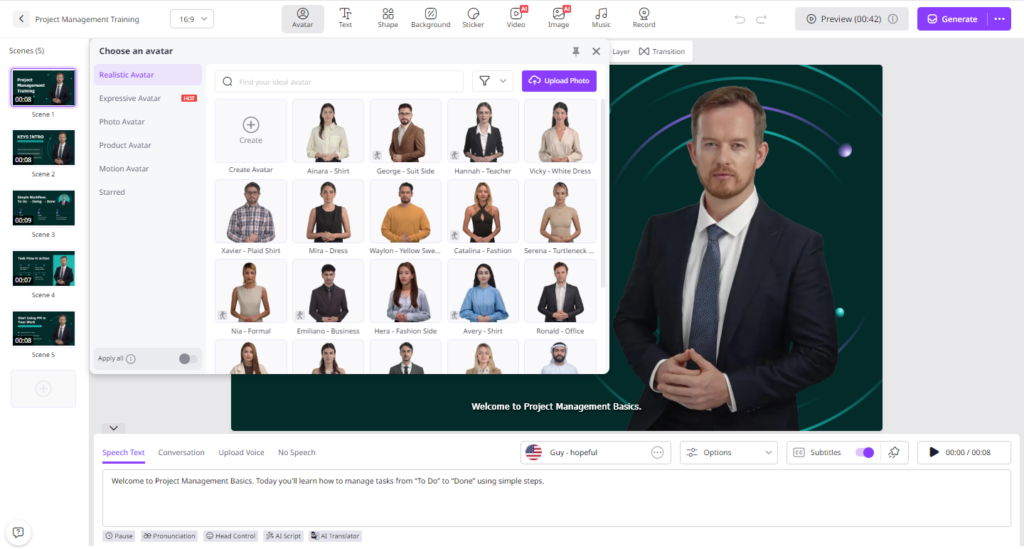
- Input your text and select the AI voice. Users can also select the language of the video, as this tool supports 140+ languages.
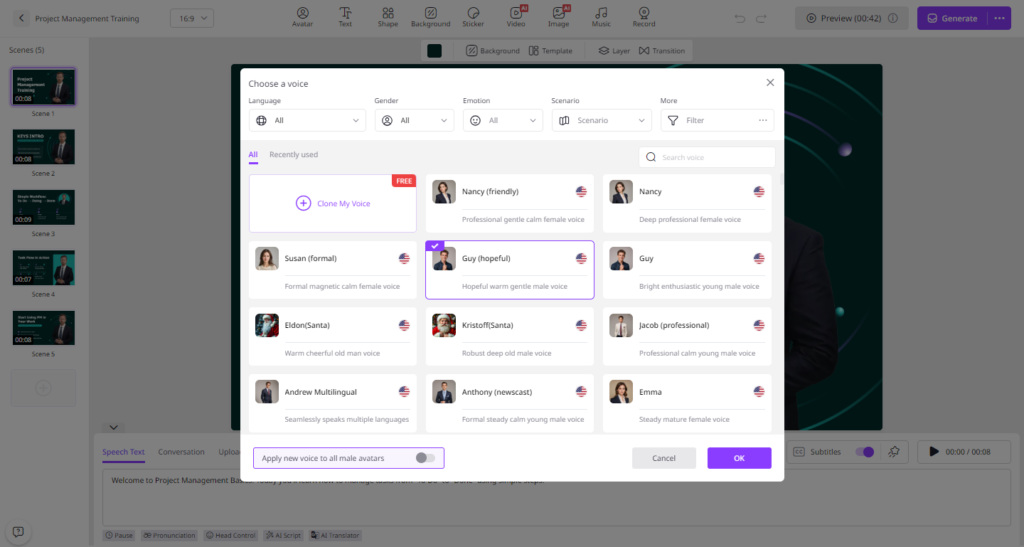
- Next, use the Online Video Editor to customize it according to your requirements. Users can change the background, insert text, and add music.
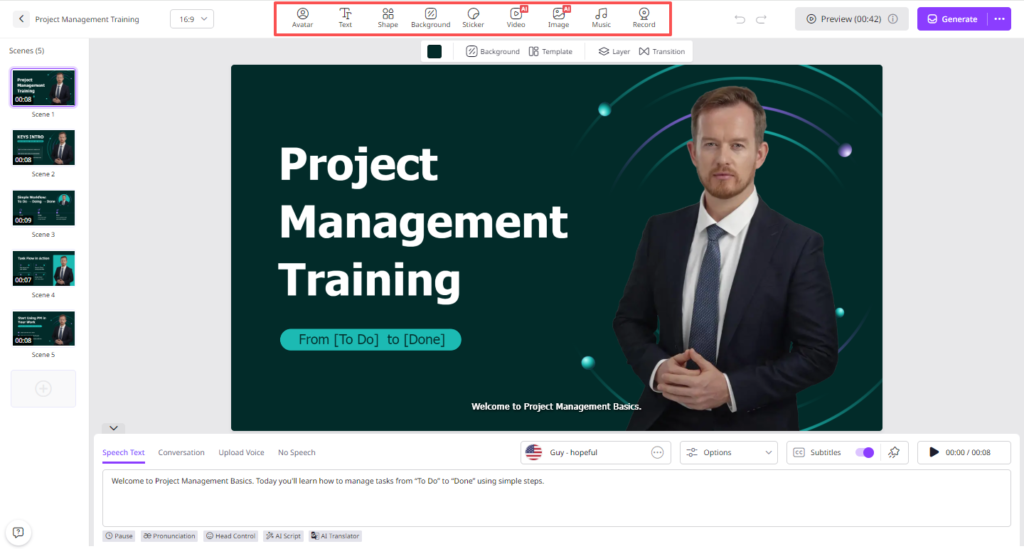
- Finally, click on the “Generate” button to begin the video creation process. Within seconds, your video will be ready. Preview and download it in popular formats.
Final Thoughts
If you want to create high-quality videos without a professional studio and on a budget, then we’ll highly recommend using Vidnoz AI. The program can reduce video production costs by up to 80% compared to traditional methods.











Post Comment