RayNeo Air 4 Pro for Minimalist Travelers: Travel Light and Watch Big
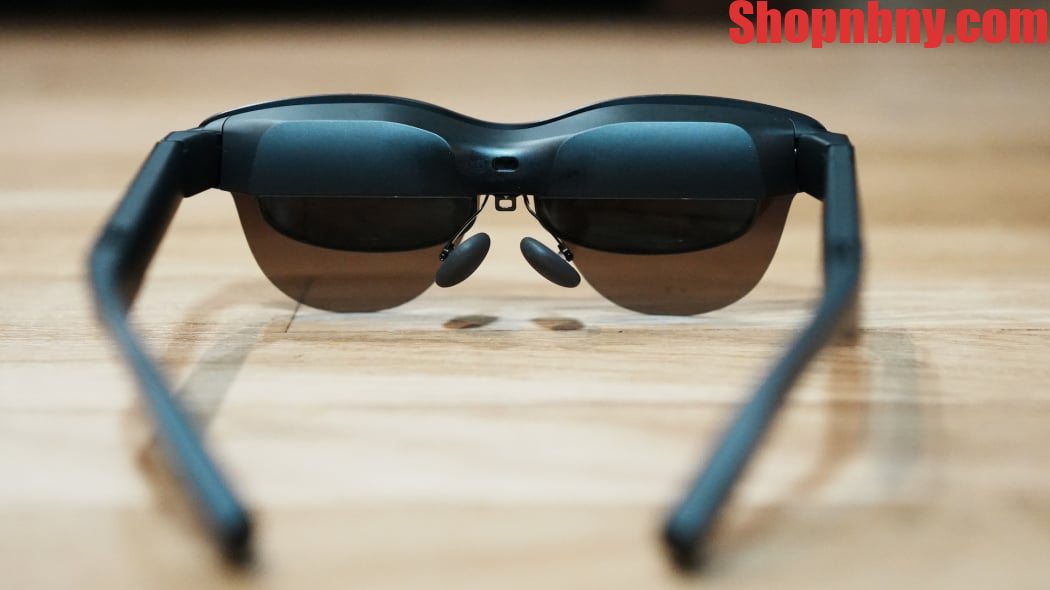
The promise of portable smart glasses technology is straightforward: replace the screen in your bag with one you wear on your face. For travelers tracking every ounce in their carry-on, that premise now has a concrete product and a $299 price tag.
Announced at CES 2026, the RayNeo Air 4 Pro travel AR glasses represent TCL’s RayNeo division’s latest iteration on lightweight video glasses: 76 grams, a single USB-C cable, and what RayNeo describes as the first HDR10 display in the AR wearables category.
This guide covers what the Air 4 Pro delivers in practice and how it holds up when compared to the alternatives.
Why Travelers Are Looking at AR Glasses
Most travelers carry a phone, a laptop, or both—but rarely a great screen. The appeal of travel AR glasses is exactly that gap: plug a pair into any USB-C device with DP Alt Mode support, and a private virtual display appears without adding another piece of hardware to your bag.
The broader shift toward portable smart glasses as travel tools reflects what the form factor can now reliably deliver. When a display device weighs under 80 grams, fits in a glasses case, and connects via a single USB-C cable to any compatible device, it starts solving real problems rather than creating new ones.
A Display That Raises the Standard
The Air 4 Pro’s display is its clearest differentiator within the current smart glasses technology landscape. RayNeo describes it as the world’s first AR glasses with HDR10 support—a standard associated with premium televisions and streaming platforms, now built into a 76-gram wearable.
What HDR10 Actually Delivers
HDR10 support means a wider dynamic range between dark shadows and bright highlights in a given scene. In a dimmed airplane cabin, that translates to more accurate color and higher contrast while watching video—a practical improvement over the standard dynamic range that most AR glasses in this category still use. RayNeo notes that HDR10 output depends on compatible source content and a source device that supports HDR10 passthrough.
Resolution, Brightness, and the Vision 4000 Chip
Each eye receives a 1,920 × 1,080 image from a 0.6-inch micro-OLED display running at 120Hz, with 1,200 nits of peak brightness. RayNeo’s custom Vision 4000 chip handles real-time SDR-to-HDR upscaling and 2D-to-3D conversion on-device, with no external processor required.
The 201-Inch Virtual Screen
RayNeo rates the combined image as equivalent to a 201-inch screen at a 6-meter viewing distance—a perceptual measure rather than a physical dimension. Hands-on coverage from Tom’s Guide and Gizmodo found the result expansive and sharper than expected, with the high refresh rate holding up well during gaming.
Built to Travel Light
Weight and simplicity are the two variables minimalist travelers optimize for first. The RayNeo Air 4 Pro addresses both directly: 76 grams, a single USB-C cable, and basic display use that requires no additional apps or adapters.
76g and the Carry-On Advantage
At 76 grams, the Air 4 Pro sits on the lighter end of the wearable display market. The evolution of portable smart glasses technology has reached a point where a full-resolution AR display fits in a glasses case alongside your everyday eyewear—no dedicated pouch, no extra accessories required.
Plug-and-Play USB-C
Unlike some smart glasses technology setups that require proprietary apps or adapters, the Air 4 Pro activates as a display on plug-in with no app required. Per RayNeo’s official compatibility guide, it works with any USB-C device that supports DP Alt Mode (DisplayPort over USB-C). Verified compatible device categories include the following:
- USB-C iPhones (iPhone 15 and later) and Android smartphones
- MacBooks and Windows laptops with USB-C DisplayPort output
- Portable gaming handhelds such as the Lenovo Legion Go S
Sound Without the Bulk
The video glasses include four speakers co-tuned with Bang & Olufsen. Audio in wearable displays tends to be directional and weak, but Gizmodo’s reviewer found the sound quality notably better than expected for smart glasses at this size and price point.
Because the glasses have no internal battery, they draw power from the connected device. Gizmodo’s hands-on test measured roughly 4% battery drain per 10 minutes on an iPhone 17 at full brightness and 120Hz. A two-hour flight movie would consume close to half the phone’s charge.
How the Air 4 Pro Compares
The travel AR glasses market includes a handful of established alternatives in the portable smart glasses space. Comparing the Air 4 Pro against the closest options on specs and price helps clarify what you actually gain, and what you give up, at this price point.
Side-by-Side Specs
The following table covers the primary spec differences between these travel AR glasses and the XREAL 1S. Hardware specs are sourced from each brand’s official product page; the app-requirement note for Air 4 Pro’s 2D→3D mode is based on Gizmodo’s hands-on review (March 2026).
| Feature | RayNeo Air 4 Pro | XREAL 1S |
| Price | $299 | $449 |
| Weight | 76g | 82g |
| HDR10 Support | √ | × |
| Peak Brightness | 1,200 nits | 700 nits |
| Resolution | 1920×1080 per eye | 1200P |
| Audio | Bang & Olufsen, 4 speakers | Sound by Bose |
| App-Free 2D→3D | × (RayNeo AR app required) | √ (glasses-side, no software) |
The $299 Value Case
At $150 less than the XREAL 1S, RayNeo Air 4 Pro travel AR glasses deliver higher peak brightness and HDR10 support—the more relevant advantages for watching content in variable lighting. The XREAL 1S counters with a higher 1200P resolution, Bose audio, and hardware-level 3D conversion that needs no app.
Before You Pack It
These travel AR glasses deliver on their core promise, but two practical factors are worth understanding before making a purchase decision. Neither disqualifies the glasses for most buyers, but both affect the experience enough to be worth planning around.
The Fit Question
These video glasses ship with medium nose pads installed and large-sized pads included in the box. Gizmodo’s reviewer—self-described as someone with a larger nose—found the larger pads necessary for comfortable extended wear. The arms also snap into three adjustable positions. Fit is face-specific, so a try-before-you-buy opportunity helps if available. Gizmodo also noted the virtual screen felt larger than expected, suggesting users who prefer a smaller image may find the fixed display size a constraint.
When the Air 4 Pro Works Best
The following scenarios represent the most natural fit for this pair of portable smart glasses. In each case, the combination of plug-and-play connectivity and a large virtual display eliminates a problem that other carry-on solutions either partially solve or don’t address.
- Long-haul flights: Plug into your phone and watch video on a virtual 201-inch screen without unpacking a laptop or relying on the seat-back system.
- Hotel rooms: Replace a small hotel television with a full AR display you control, whether watching video or working from a laptop connection.
- Handheld gaming on the go: Connect a portable gaming device like the Lenovo Legion Go S to get a large virtual monitor in any seat or room.
The Bottom Line
The RayNeo Air 4 Pro is not the right pick for every traveler. If AI features, an onboard camera, or conventional eyewear styling are your priority, a different category of smart glasses fits better. But if you want a real display—HDR10, B&O-tuned audio, and plug-and-play simplicity at $299—the Air 4 Pro makes a strong case for portable smart glasses as the smarter packing choice for 2026.
Disclaimer
The information provided in this article, “RayNeo Air 4 Pro for Minimalist Travelers: Travel Light and Watch Big,” is for general informational and educational purposes only. Product specifications, features, pricing, and performance details are based on publicly available information and may change over time without notice.
Any comparisons made with other products are intended for general reference and may not reflect all available options or individual user experiences. Actual performance may vary depending on device compatibility, usage conditions, and software updates.














Post Comment